For swimming administrators
The records desk, in one app
results runner is the software SwimmingSA built for its records desk. It checks every swim against the state records, keeps the record tables and their history, and runs the screens on pool deck. It does the looking. A records officer makes the call.
What it takes off the desk
The checking, the cross-referencing and the retyping. The decisions stay with a person.
- Finds every record swimEach result is checked against the South Australian tables: state, Allcomers, Country, Country Championships and Multi-Class.
- Shows its workingEvery swim comes with the result, the swimmer's details and the record it beats, side by side.
- Keeps the record bookRatify a swim and the tables, the history and the certificate are done.
- Runs meet dayThe announcer, the callroom and the medals table work from the same results, and so do families' phones.
From the wall to the record book
What happens to one fast swim. Step four is the only one that needs a person.
- The result is postedTiming and results run the way they always have.
- results runner reads itIt compares the time with every record that swimmer could hold.
- A card lands in RatifyThe swim, the record, the margin and the evidence.
- The officer decidesRatify, reject, or hold it until the official results are in.
- Everything updatesThe record table, the certificate, the announcer's screen and the public site.
A season, not only a meet
What the software does before, during and after a meet, and in the weeks between.
Two steps and the meet is ready
Load the Meet Manager backup, paste the live results link, and results runner knows every swimmer, club and session.
- The backup gives full names, dates of birth and clubs, so each swimmer's age is worked out for the day of the swim.
- A checklist at the top shows what's still to do: the backup, country clubs, session dates, the results link and the timing system.
- A meet you don't run, such as Nationals, can be followed for your own swimmers only.
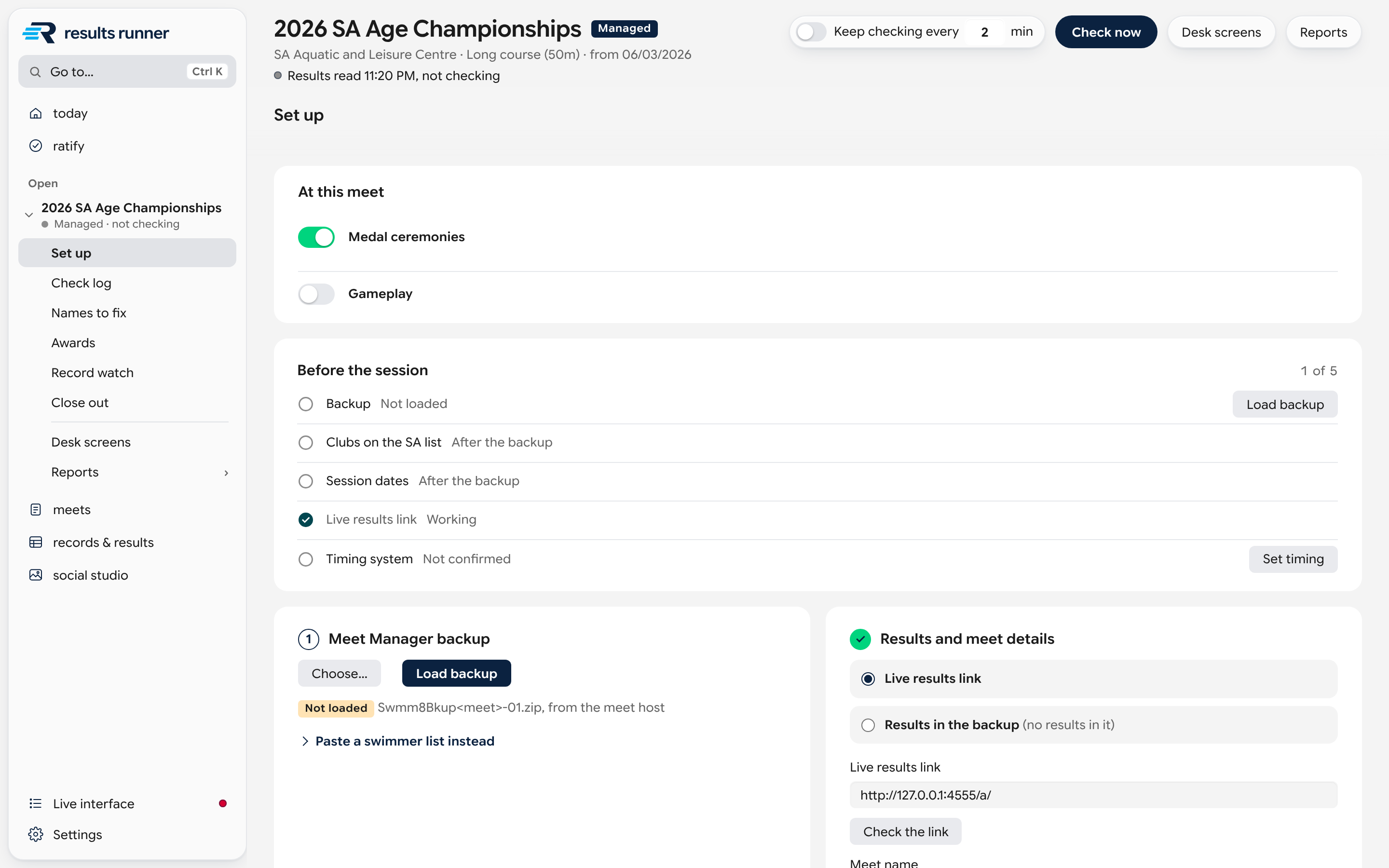
It keeps checking, so the desk can watch the pool
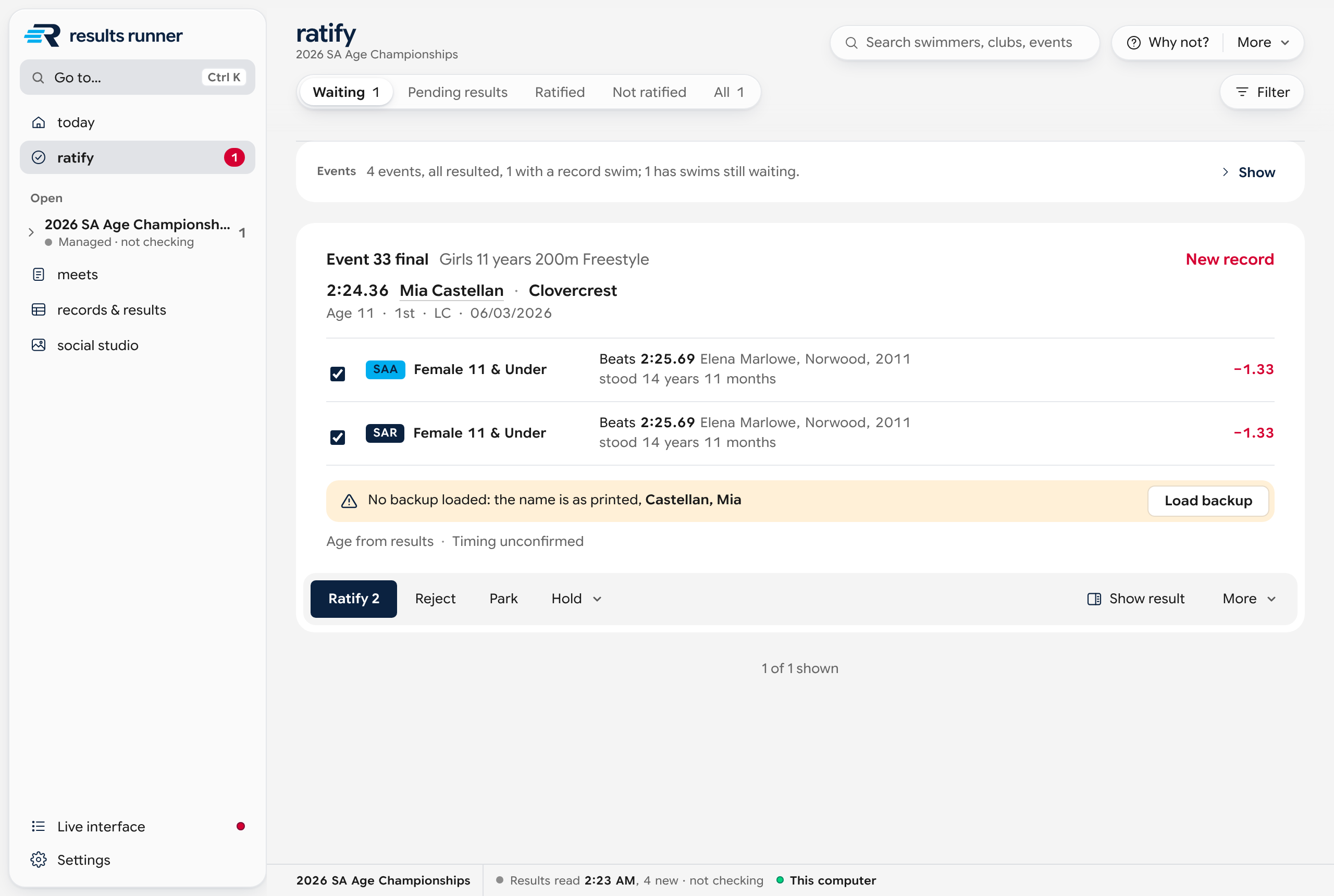
Every new result is read as it's posted. A swim that beats a record lands in front of the records officer with the evidence.
- Each record swim arrives as a card showing the swim, the record it beats and the margin.
- The card has the results line, the swimmer's row in the backup and the record as it stands, side by side, and warns about anything unverified.
- The officer ratifies, rejects or holds it. A swim that beats four records is one decision, and it can be undone.
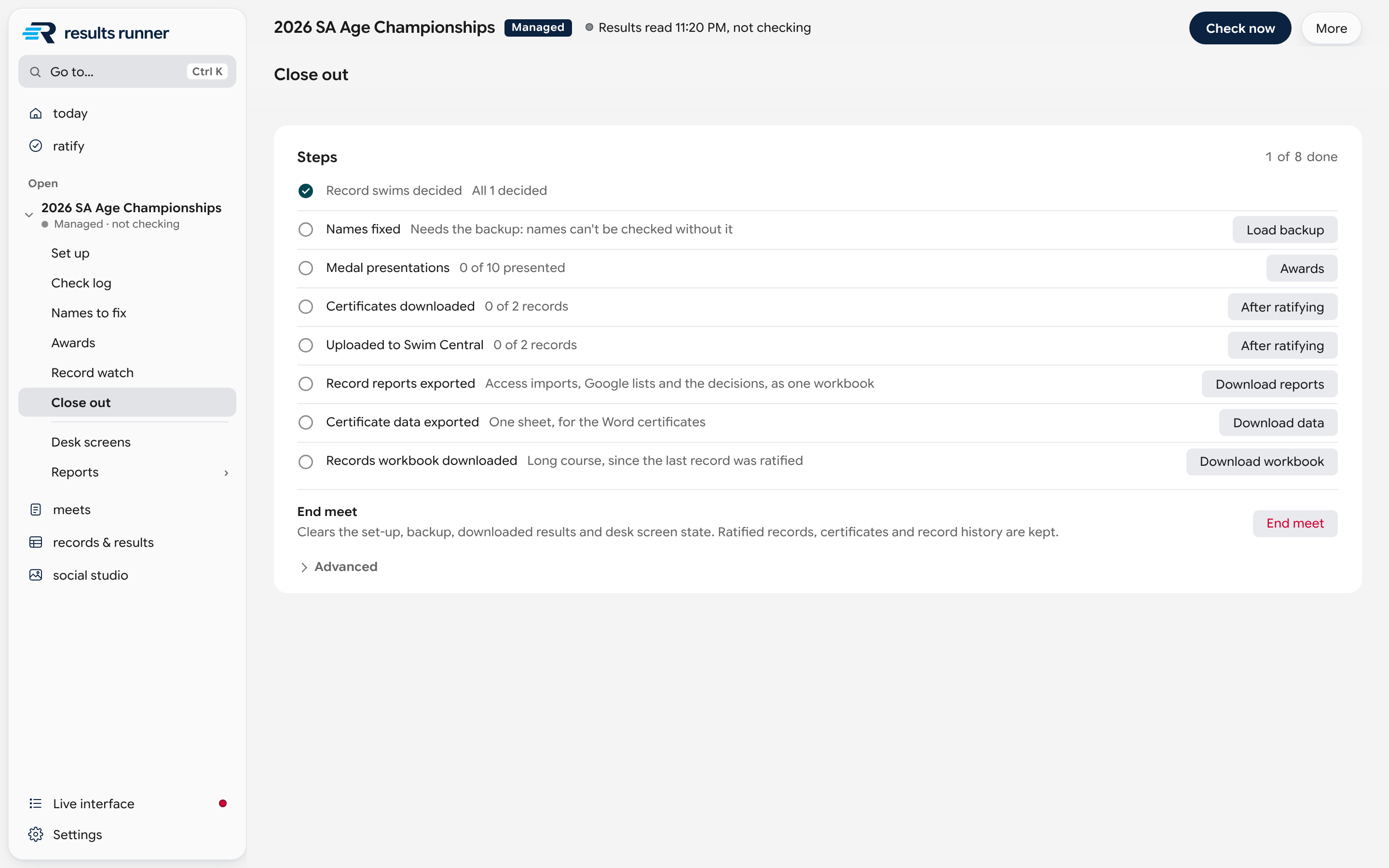
Close out is a checklist
When the last race is swum, one screen lists what's left and has the button for each.
- Each step has its own tick: record swims decided, names fixed, medals presented, certificates, Swim Central and the exports.
- It makes a certificate for every ratified record, the record reports workbook, and the long course and short course workbooks in their usual layout.
- Ending the meet clears the set-up for the next one. Every ratified record and certificate stays.
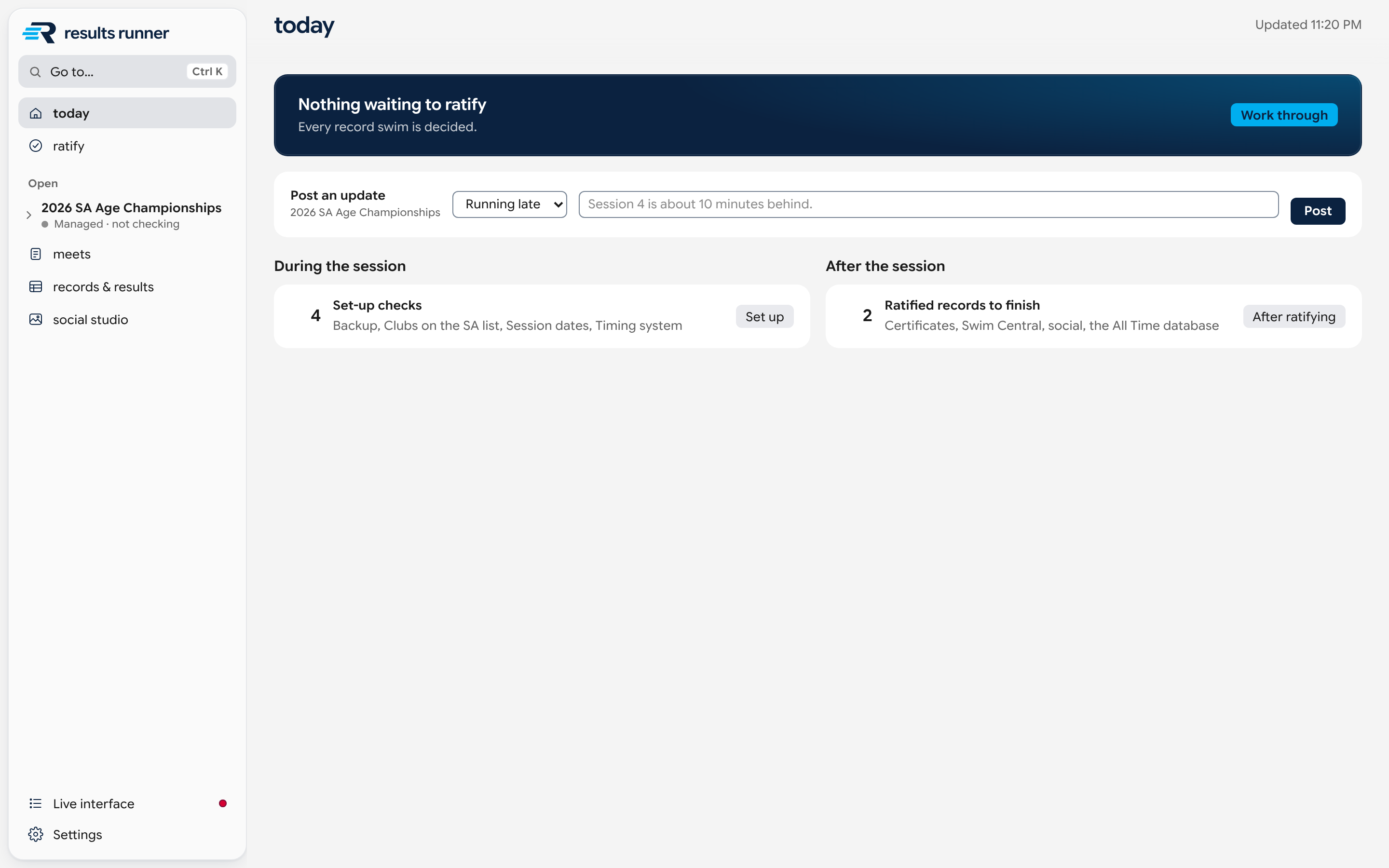
The season keeps arriving
Club carnivals and interstate meets send their results after the event. Drop the file on the window and it's checked like any other meet.
- A carnival's Meet Manager backup or an interstate results file becomes its own meet, with its own record swims and close-out.
- Each swim is checked against whoever held the record on the date it was swum, so files can arrive in any order.
- The opening screen lists what's waiting: swims to ratify, backups owed, meets to close out and the meets coming up this week.
Also in the box
The rest of what a records desk keeps, in the same app.
- The record tablesBrowse every record, and download the long course and short course workbooks in the layout they've always had.
- Who holds whatRecords by club and by swimmer, with a page for each swimmer: what they hold, what they held, and who took it.
- Record historyEvery record swim on the tables since the first, with how long each one stood.
- CertificatesAn A4 certificate for every ratified record, one at a time or the whole meet in one download.
- RankingsThe fastest swims it has read, from every meet it has checked, as top 10 lists or longer.
- Social studioA post for one record, a swimmer, a club or the whole meet, in SwimmingSA's colours.
- Medal ceremoniesPresentations set up from the official places, sent to the announcer and ticked off.
- The meet calendarEvery meet of the season on its dates, and the way back to past meets.
It doesn't stop at the desk
The same results feed two more places on the day.
- The pool deck screensThe announcer, the callroom, the medals table and the session manager each get a screen on an iPad or phone. For officials
- Results Runner LiveFamilies follow their swimmers, the results and the records on their own phones. For parents
Good to know
The questions that come up first.
Does it decide records?
No. It finds the swims, shows the evidence and says which rules each one passed. A record is only a record once a records officer ratifies it.
Who built it?
SwimmingSA, for its own records desk. It runs at SwimmingSA's meets and checks the club carnivals and interstate results that come in between them.
What does it run on?
It's an app for Windows and Mac. The pool deck screens and the public site open in a web browser on any iPad or phone.
Where is the data kept?
In a folder on the records desk's computer, or in a shared folder such as OneDrive or SharePoint so more than one person can work from it, one at a time. Everything can be saved as a single file to back up or move.
Does it replace Meet Manager?
No. Timing and results run the way they always have. results runner reads the results and the Meet Manager backup.
How does it check a swim?
Against the South Australian record tables, using the swimmer's age on the day, their club, the pool and the timing. See how it works