For officials and volunteers at SwimmingSA meets
Your job at the meet, on one screen
results runner is new at SwimmingSA meets. If you're announcing, running the callroom, looking after medals or managing the session, it gives you a screen that shows what's next and what to say. It runs on an iPad or your own phone, and you can learn your part from this page before you get to the pool.
What you get
One screen, made for the job you're doing, with a few big buttons.
- Nothing to installIt's a website. Open it on an iPad or phone, type a four-digit code and you're in.
- Only your jobThe announcer gets the words to read. The callroom gets the next race to call. Medals gets who won what.
- Everyone in stepTap a button and the other desks see it on their screens. Nobody walks over to ask.
- The pool runs as usualRaces are timed and results decided exactly as they are now.
One race, start to finish
Follow the numbers. Each card is one person doing one small thing, and the line shows who's up next.
- CallroomCalls the next race with one tap.
- AnnouncerSees the call and reads it over the PA.
- ManagerMarks the race as started.Families' phones now show it as Live
- The raceSwum, timed and made official, the same as always. Nobody taps anything.
- Records deskPicks up the result and confirms any record.Only when there's a record
- AnnouncerGets the record, written out, and reads it.Only when there's a record
- CeremoniesChecks the medal winners and sends them on.After a final
- AnnouncerReads out the medal presentation.After a final
- CeremoniesTicks it off once the medals are handed out.After a final
Find your seat
Here's what the meet looks like from your seat.
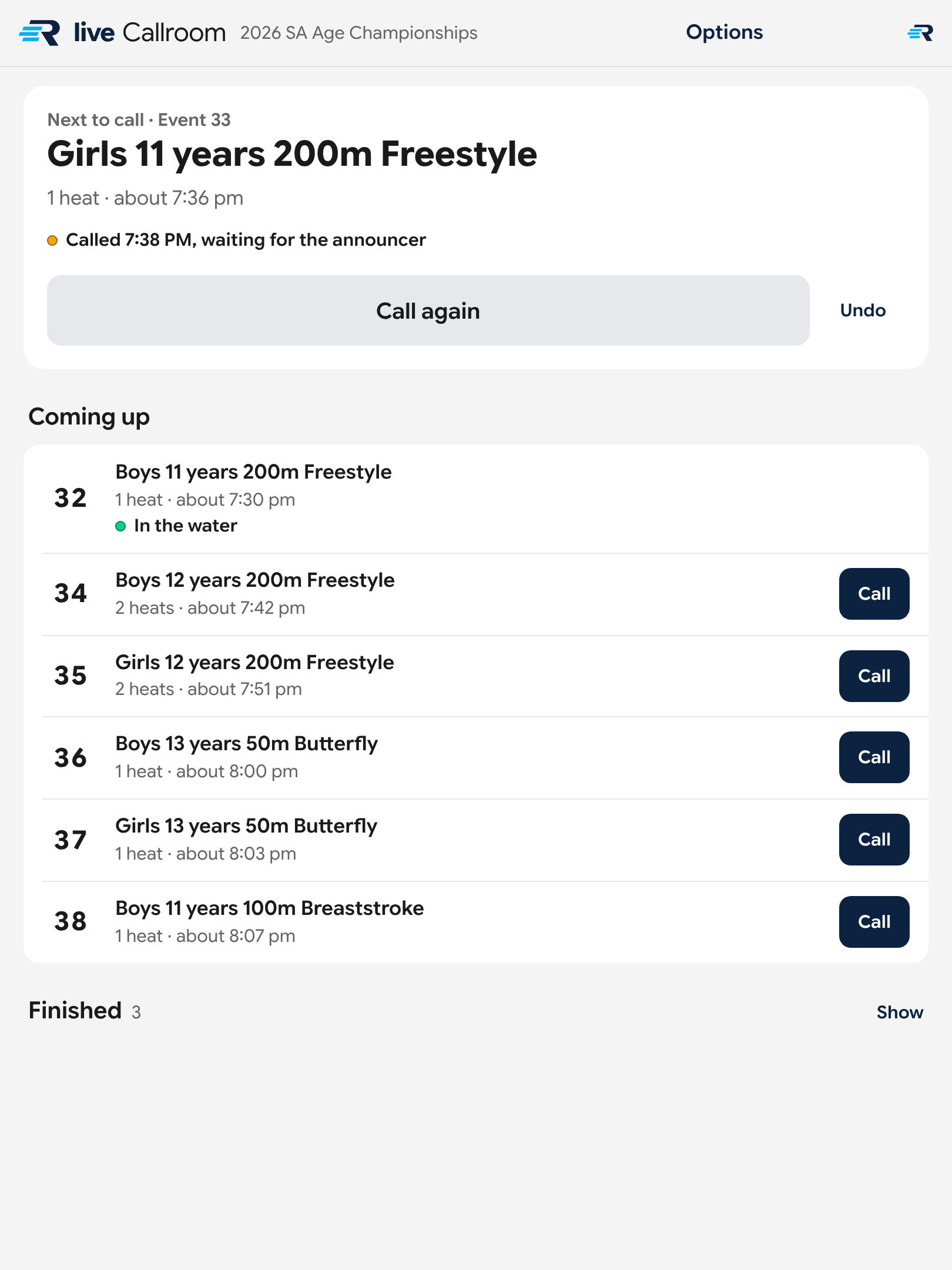
One tap and they're called
Your screen lists every race in order. When you're ready for the next swimmers, one tap puts the call in front of the announcer.
- The next race to call sits in a big card at the top, with the rest of the session queued underneath.
- Once you've called it, your screen says waiting for the announcer, then read out when it's gone over the PA.
- You can call again if swimmers are still missing, or undo a call you didn't mean.
Which buttons do what
- The button on the big card is Call. Once you've tapped it, it becomes Call again, with Undo beside it.
- Every race under Coming up has its own Call button too.
- In the water marks the race being swum now. Finished holds the races that are done.
- No heats or times yet doesn't mean anything is wrong. Your screen has the list of races but not the heats. The records desk can add them.
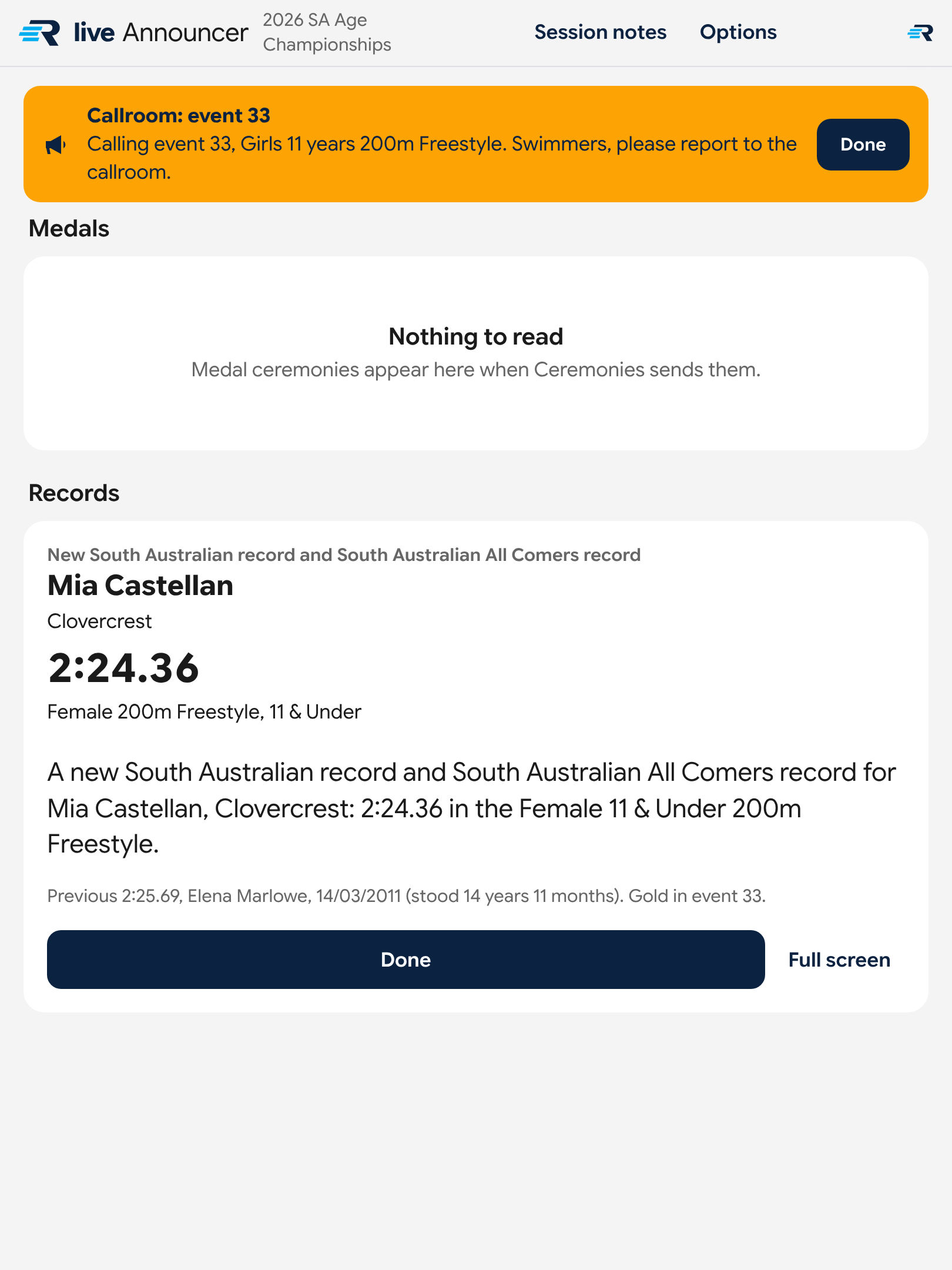
The words are already written
Calls for swimmers, new records and medal presentations arrive on your screen as they happen, each one ready to read.
- A call from the callroom arrives in an orange bar at the top of your screen.
- A record comes with the swimmer, their club, the time and the record it broke, written out in full.
- A medal presentation arrives when Ceremonies sends it across.
Which buttons do what
- Tap Done once you've read a call or a record. The callroom then sees that its call has been read out.
- Tap Full screen to see what you're reading in large type.
- Session notes, at the top, lists swimmers who are close to a record in the races coming up, and a few numbers from the session.
- Trophies show up near the end of a meet, once the winners are confirmed.
- Nothing to read means nothing is waiting for you in that section.
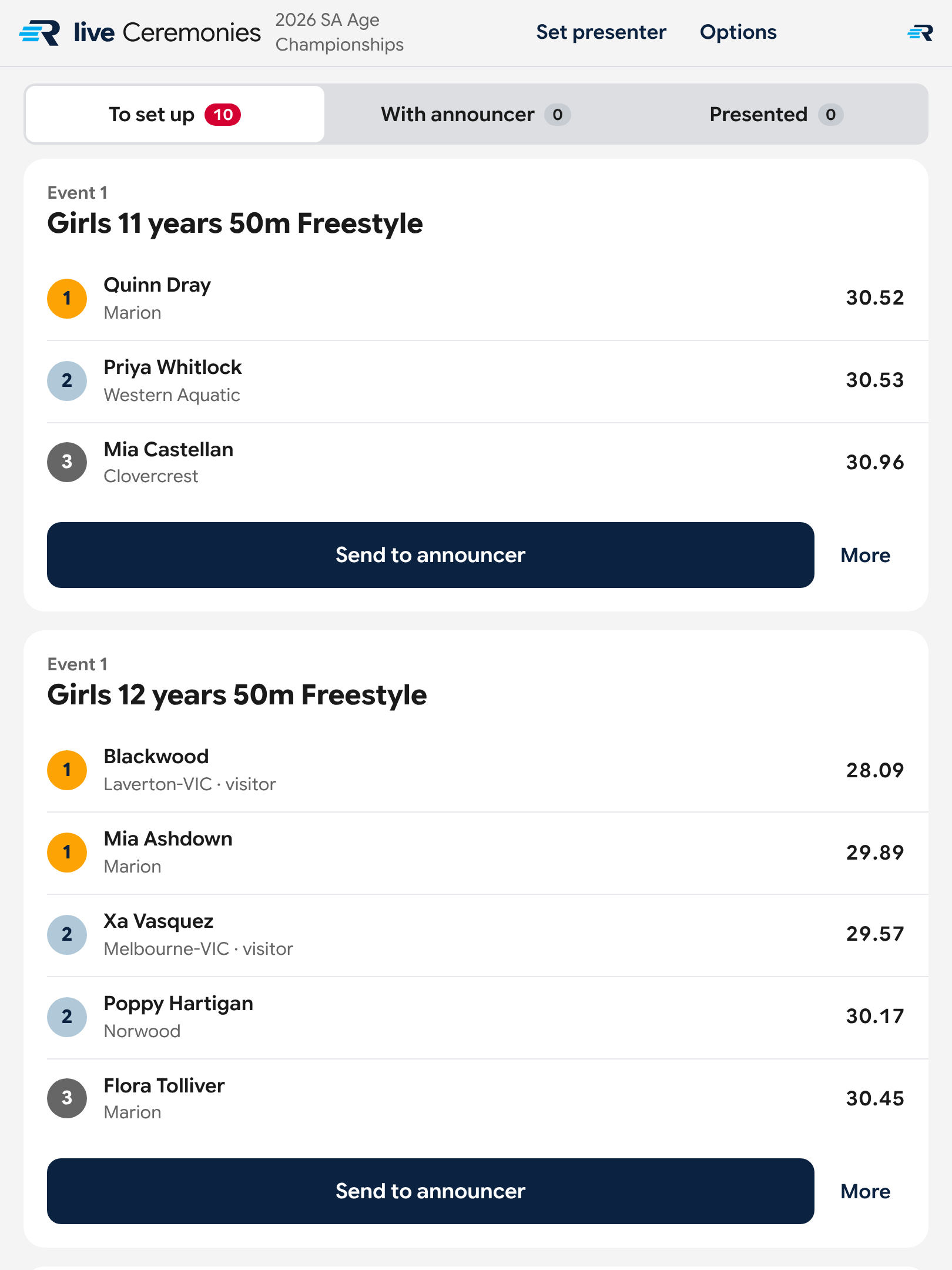
The medallists, straight from the result
After each final, gold, silver and bronze are on your screen with names and clubs, taken from the official result.
- You check the names look right. You don't build the list.
- You add who's presenting, then send it to the announcer when the dais is ready.
- Every presentation sits in one of three lists: to set up, with the announcer, or presented.
Which buttons do what
- The winners appear under To set up. Tap Presenter at the top to add who is handing out the medals, then Send to announcer.
- Tap Presented once the medals are handed out. It doesn't tick itself off.
- If a medallist isn't there, tap their name to mark them as not at the dais.
- An event with several age groups has one presentation for each.
- A swimmer from interstate is marked as a visitor.
- If the official result changes after you've set it up, your screen flags it so you can check again.
- Some meets don't have medal ceremonies. Then the screen says Medal ceremonies are off for this meet.
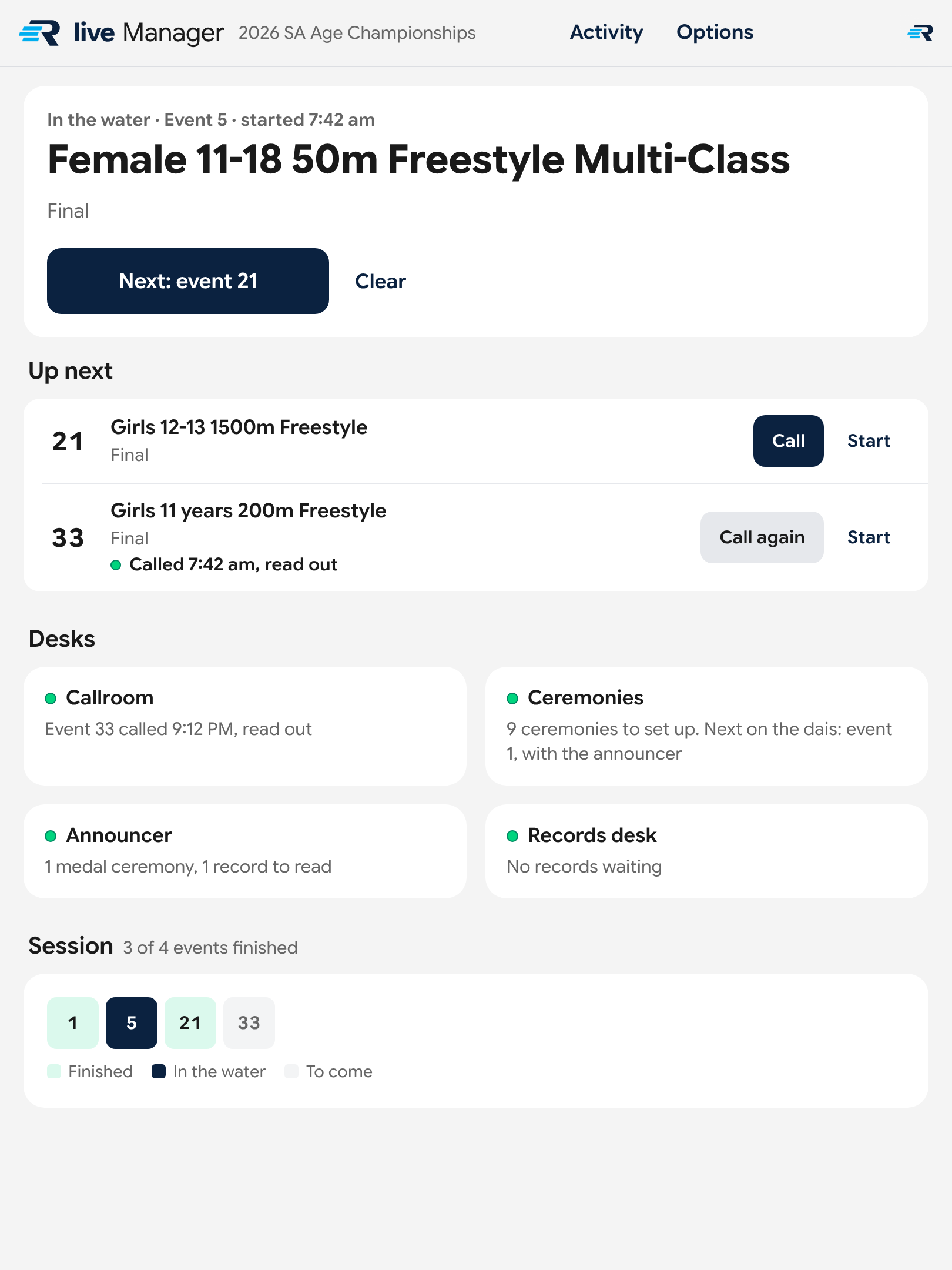
The whole session at a glance
The race that's on now, what's next, and how every desk is going, on one screen.
- Mark a race as started and families' phones show it as Live.
- The next races are lined up, each ready to call or start.
- A line for each desk says what it's waiting on, or that nobody has it open.
Which buttons do what
- Tap Start as a race begins. Your screen then shows it as In the water.
- When the next race begins, tap Next. The button names the race. If nothing is being swum, tap Clear.
- Up next lists the races to come. Each has its own Call and Start.
- Screen not open under Desks means nobody has that screen open.
- Session is a row of numbered squares, one per race: finished, on now, or still to come.
- Activity, at the top, lists everything that's happened this session.
- Once a race has started you can see how many results are in, and whether it started on time.
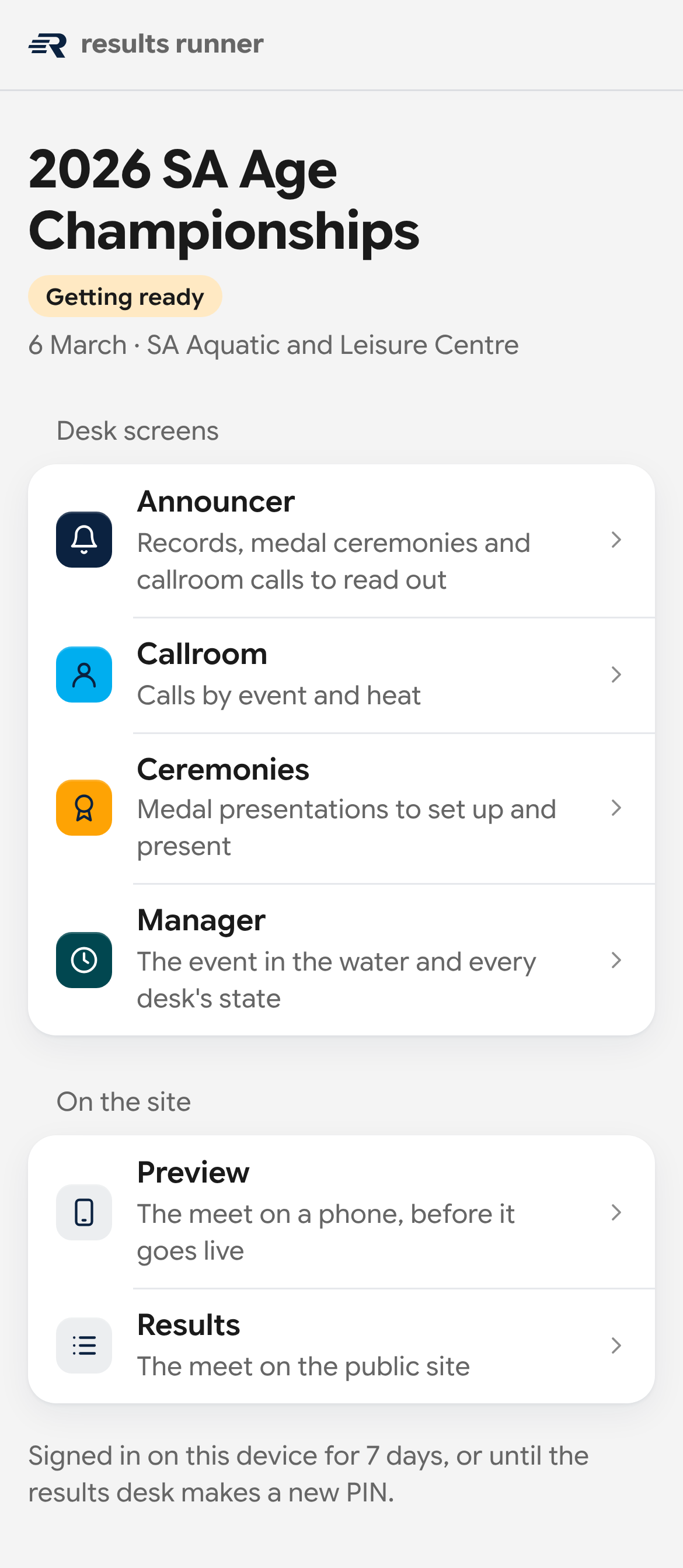
Four steps and you're in
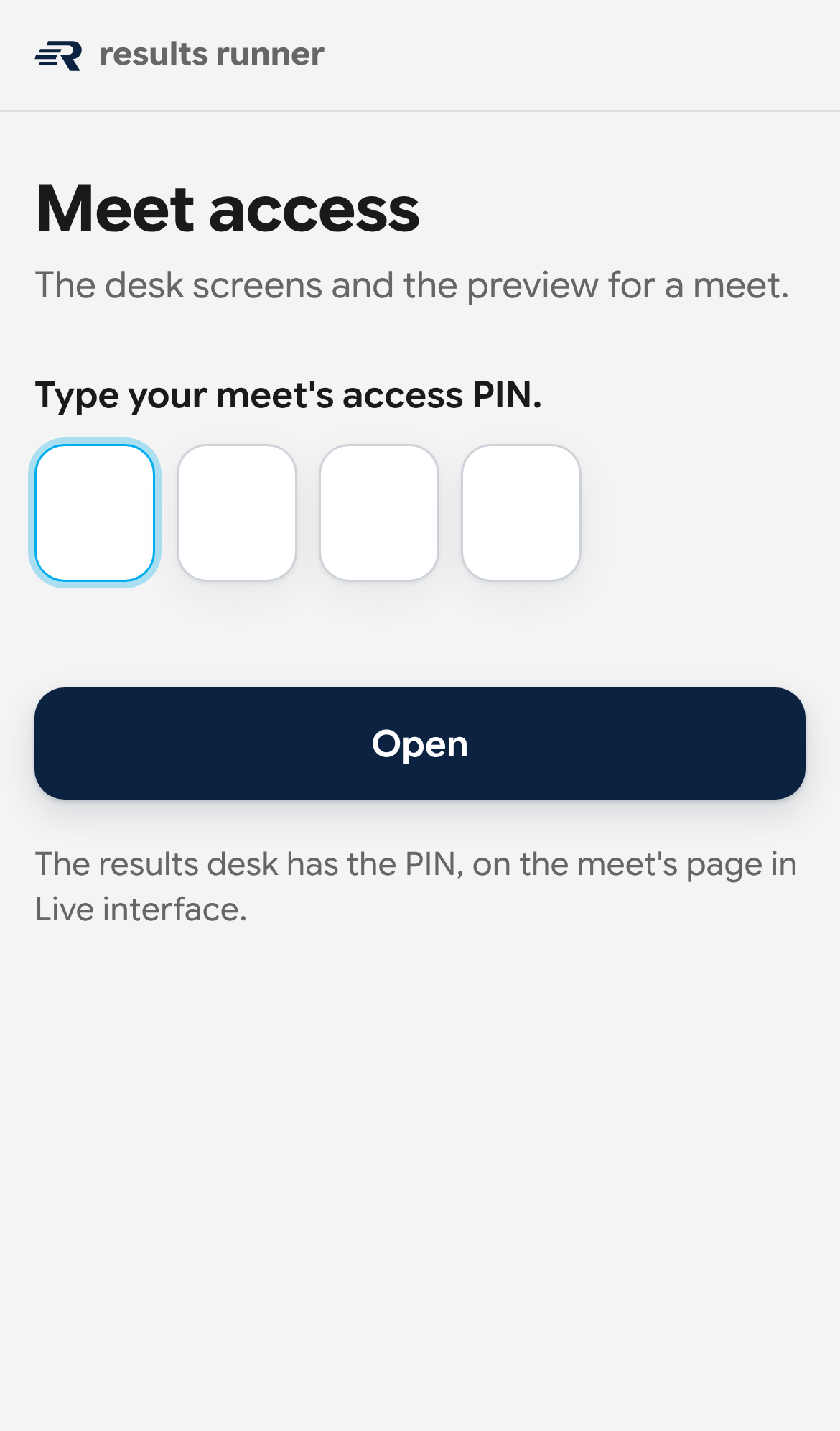
All you need is an iPad or phone that's on the internet, and today's four-digit code.
- Get the codeAsk the records desk for today's four-digit code. The screen calls it the access PIN.
- Open the websiteIn your web browser, go to run.resultsrunner.com.au
- Type the codeFour digits, then tap Open. That device remembers it for a week.
- Tap your jobAnnouncer, Callroom, Ceremonies or Manager.
Meanwhile, in the stands
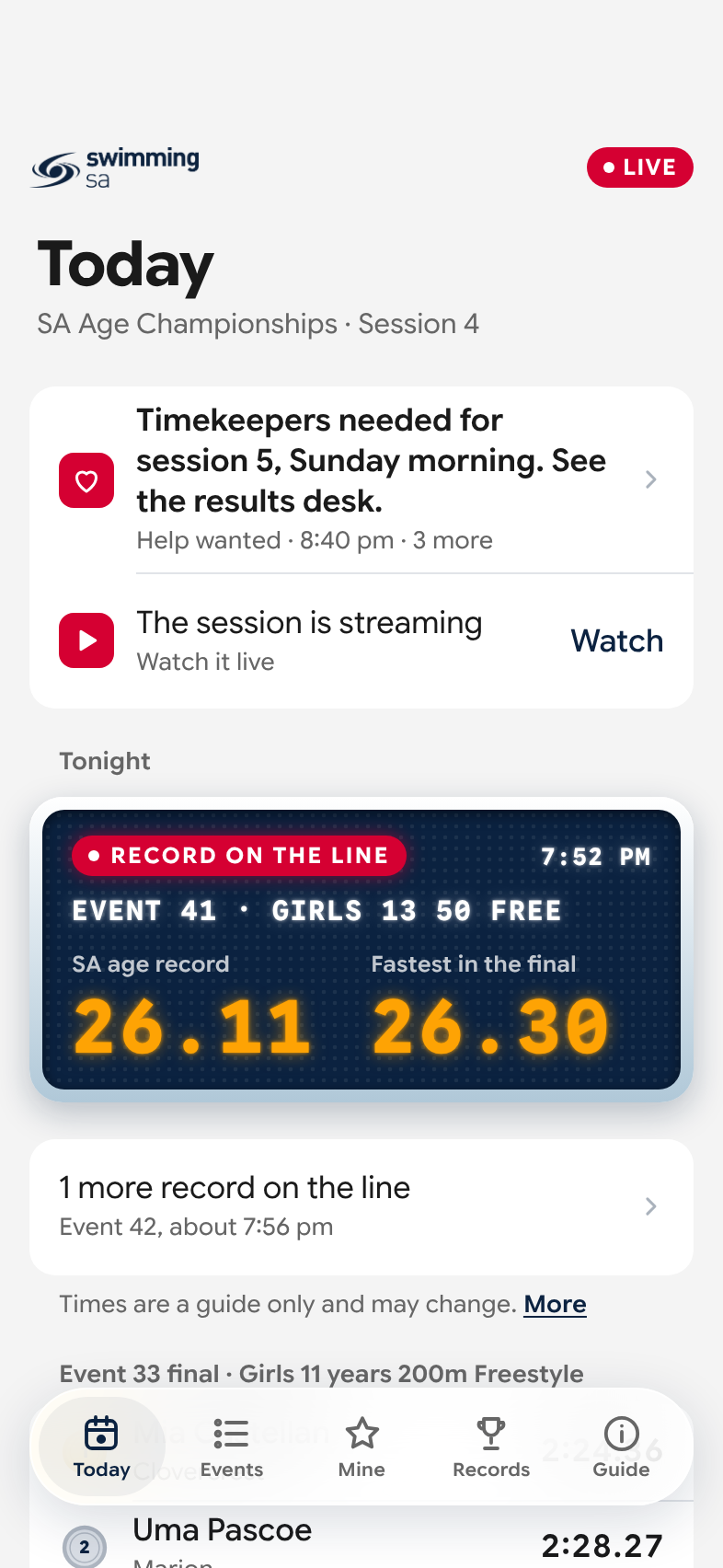
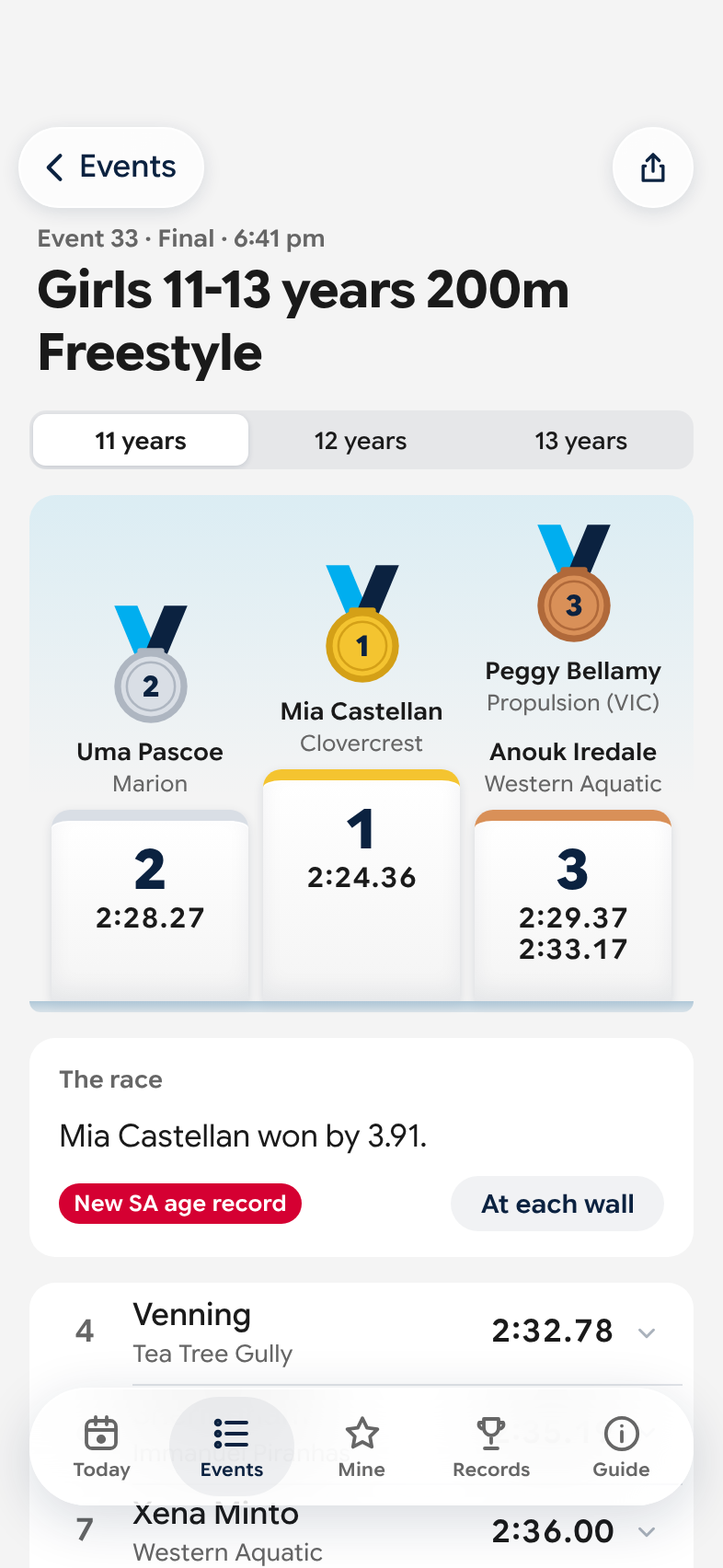
Parents are following the same meet on their own phones, on a public site called Results Runner Live. When the Manager taps Start, that race shows as Live for them. Records show up once they're confirmed. They can't see your screens.
If something's off
Nothing you tap can change a result or a time. If in doubt, find the records desk.
Who is the records desk?
One person at the meet runs results runner from a laptop. They give you the code and they're the one to find if you get stuck. One message on your screen calls them the results desk. It's the same people.
My screen says "Waiting for the results desk"
The laptop has stopped sending. It may have gone to sleep or lost its connection. Tell the records desk. Your screen catches up by itself once the laptop is back.
My screen isn't changing
Check the iPad or phone is still on the internet. Then reload the page, or close it and open run.resultsrunner.com.au again. You won't lose anything.
The code doesn't work
Make sure it's today's code. If the records desk has changed it, the old one stops working and everyone types the new one. Don't keep guessing: five wrong tries locks that device out for 15 minutes.
I tapped the wrong thing
On the Callroom, tap Undo. On the Manager, tap Clear. For anything else, tell the records desk. Nothing you tap changes a result or a time.
A name or a time looks wrong
It comes from the official result, not from your screen. Tell the records desk and carry on.
Can I use my own phone?
Yes. Any phone or iPad with a web browser and internet works.
Who else can see my screen?
Only people with the meet's code. The screens show swimmers' full names, including a few whose names are kept off the public site, so please don't share the code or photos of the screen outside the meet crew.
How does it know a record was broken?
The laptop compares every official result with the South Australian records and flags any swim that's faster. A records officer checks the swimmer's age, their club and how the race was timed before confirming it. See what's under the hood